Master Your 2026 Work from Home Planner Canva Template
Staying organized while working from home requires more than just a to-do list; it requires a system that adapts to your specific workflow. The 2026 Work from Home Planner Canva template is designed to be that central nervous system for your professional life. Unlike rigid, pre-printed planners, this digital asset offers a fluid approach to organization, allowing you to manage the nuances of remote work with precision and style. It is a comprehensive toolkit built for the modern professional who juggles multiple projects, meetings, and deadlines across various platforms.
A Complete Organizational Ecosystem
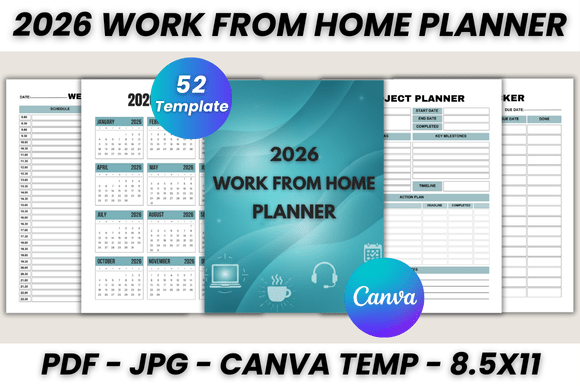
This planner is not merely a calendar; it is a fully fleshed-out ecosystem comprising 52 printable pages designed to cover every aspect of your work life. The structure is intuitive, starting with foundational elements like the "Belongs To" page and a clear 2026 Calendar. From there, it moves into granular planning tools. You have dedicated sections for the Monthly Planner, covering January through December, which allows you to set high-level goals and track progress over time.
Where this 2026 Work From Home Planner Canva Template truly shines is in its daily and weekly breakdowns. It includes individual pages for Monday through Sunday, acknowledging that the work-from-home schedule often differs from the traditional 9-to-5. The inclusion of a Weekly Schedule (spanning two pages) provides the necessary space to map out time blocks, ensuring you balance deep work with administrative tasks. For those managing complex workflows, the Project Planner and Task Tracker are indispensable. These pages help you visualize the lifecycle of a project, from inception to completion, keeping every detail in check.
Essential Tools for the Remote Professional
Beyond scheduling, the planner addresses the logistical realities of running a business or managing a career from home. The Meeting Notes section ensures you capture action items and decisions without scrambling for loose paper. Security and client management are also covered with dedicated Contact List and Password Tracker pages. These are practical, necessary components that often get overlooked in standard planners.
The visual design of the template leans into a clean, modern aesthetic. It utilizes a balanced mix of sans serif and serif typography to create a clear hierarchy, making it easy to scan pages quickly. The layout style is minimalist yet functional, ensuring that the design supports the content rather than distracting from it. This makes it an excellent example of modern typography applied to editorial design, where readability is paramount.
Customization and Brand Identity
One of the most significant advantages of using a Canva template is the ease of customization. Canva is a free-to-use online graphic design tool, and this planner is built to be fully editable within that platform. You do not need to be a professional graphic designer to make this planner your own. With a free Canva account, you can adjust fonts, resize elements, change color palettes, and even upload your own logo.
This level of customization is vital for brand identity. If you are a blogger, entrepreneur, or small business owner, you can align the planner’s aesthetic with your existing brand assets. Imagine a planner that uses your specific brand colors and features your logo on every page. This turns a simple organizational tool into a piece of professional marketing collateral. It reinforces your brand every time you open the file to plan your week.
Practical Application and Workflow Integration
The versatility of the 2026 Work from Home Planner Canva allows it to fit into various workflows. For the digital creator, it can serve as an editorial calendar, mapping out content creation and publication dates. For the project manager, it acts as a centralized hub for team coordination. The Year At A Glance pages (spanning four pages) provide a macro view of the year, essential for long-term strategic planning and identifying busy periods well in advance.
Furthermore, the Today’s Notes pages offer a dedicated space for brainstorming, journaling, or capturing fleeting ideas. This flexibility makes the template suitable for a wide range of users, including designers, marketers, and crafters. It acknowledges that work is not always linear and that creativity often needs a place to land spontaneously.
File Delivery and Usability
When you acquire this template, you receive a package designed for immediate utility. The deliverables include a printable PDF in US Letter size (8.5 x 11 inches), which can be resized within Canva to fit other dimensions if needed. You also get the editable Canva template link and bonus JPG files. This ensures that whether you prefer digital planning on a tablet or physical planning on paper, you are covered.
The user experience is straightforward. After downloading, you simply click the link to open the template in Canva. From there, you can begin editing. The "How to Use" instructions included in the file guide you through the process, ensuring a smooth start. This focus on user experience makes it a valuable design asset for anyone looking to streamline their remote work setup without a steep learning curve.
Ultimately, the 2026 Work From Home Planner Canva Template is more than just a collection of pages; it is a strategic tool for productivity. It combines the aesthetic appeal of professional graphic design with the practical functionality required to navigate the complexities of modern work. By offering a blend of structure and flexibility, it empowers you to take control of your schedule, your projects, and your year with confidence and clarity.